
Built for the existing files.
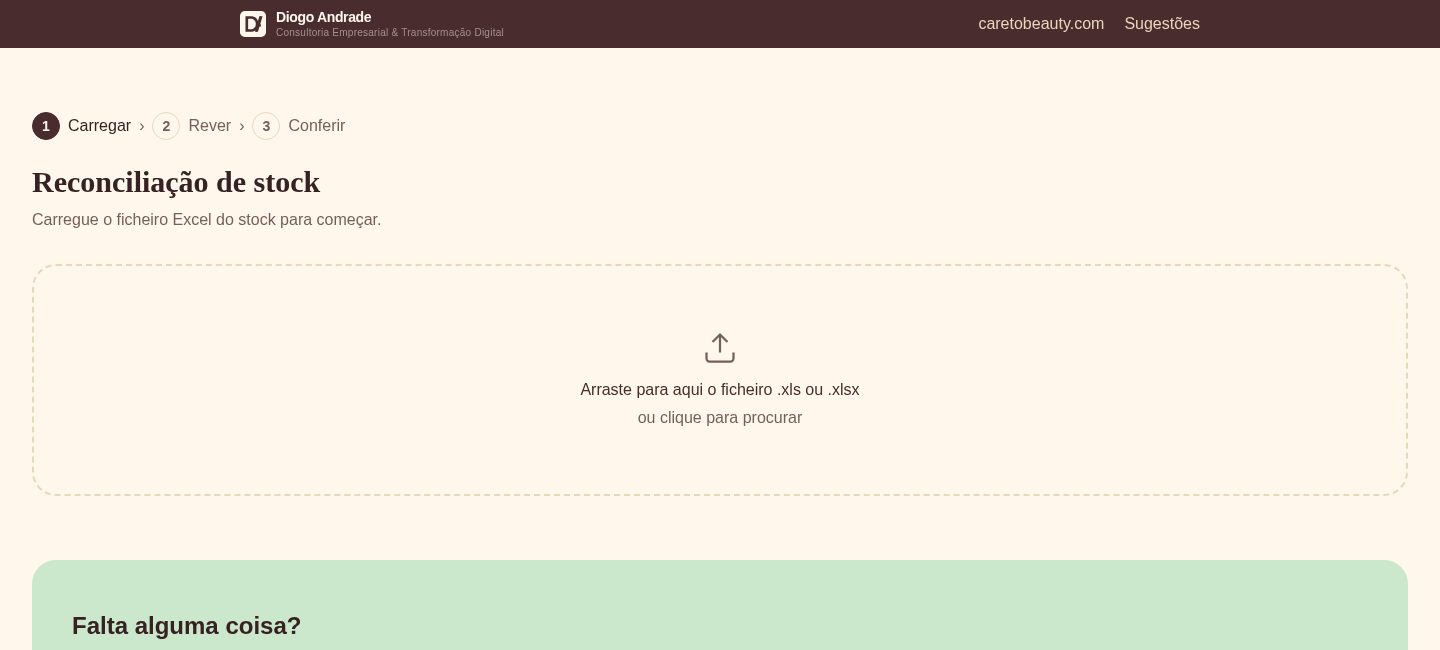
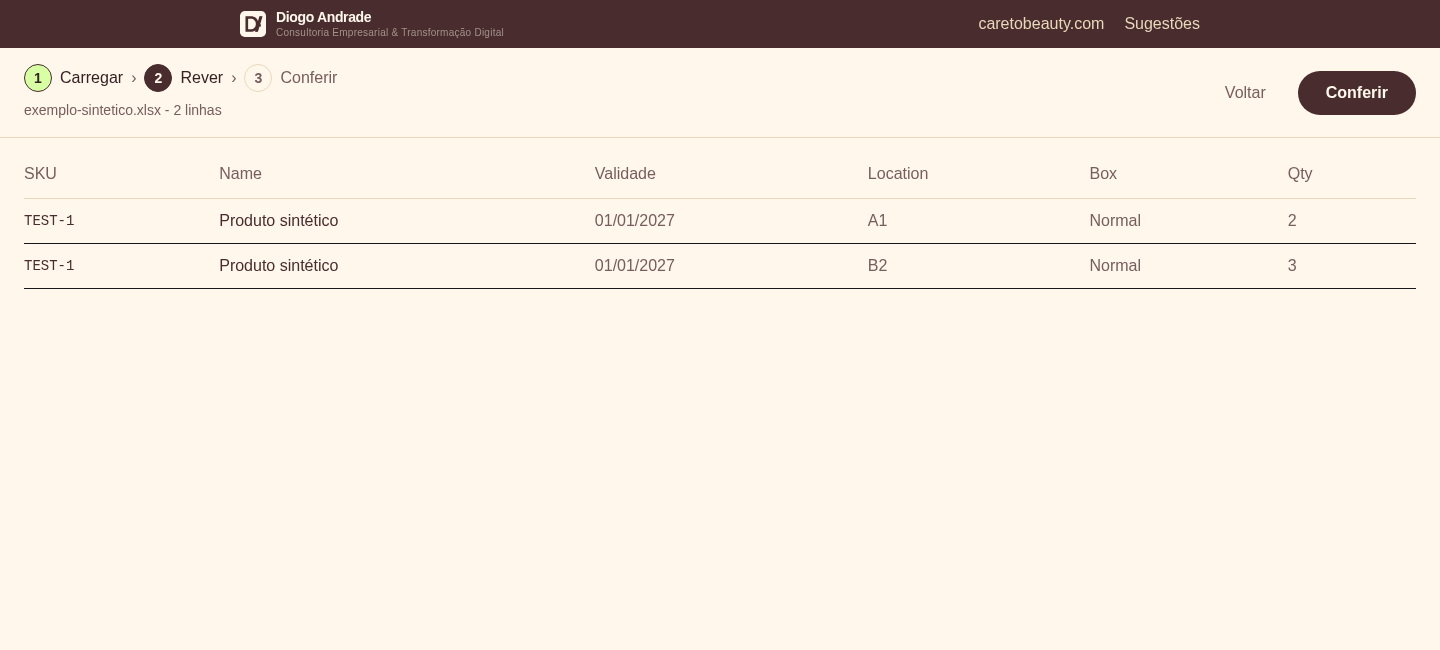
Support for XLS, XLSX and Excel XML exports, with a review step before reconciliation.
From an Excel file to a stock-checking sheet. A tool for finding the same product across warehouse locations and preparing a stock check.
Inside the tool.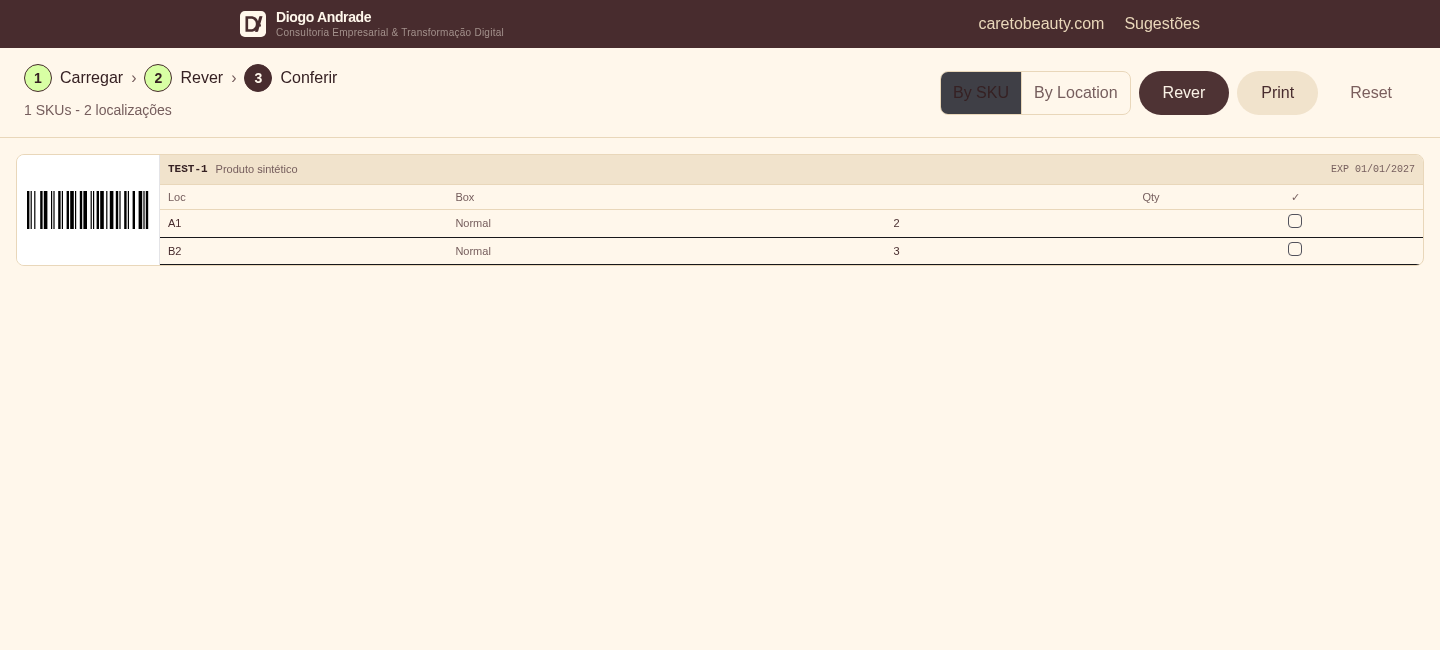
Real screenshots of the original application running a synthetic test file. The products, quantities and locations shown are fictional.
01 / The repetitive work
Checking stock across several locations means comparing product references, expiry dates and quantities. Reading those relationships directly in a spreadsheet makes the work repetitive.
02 / What I built
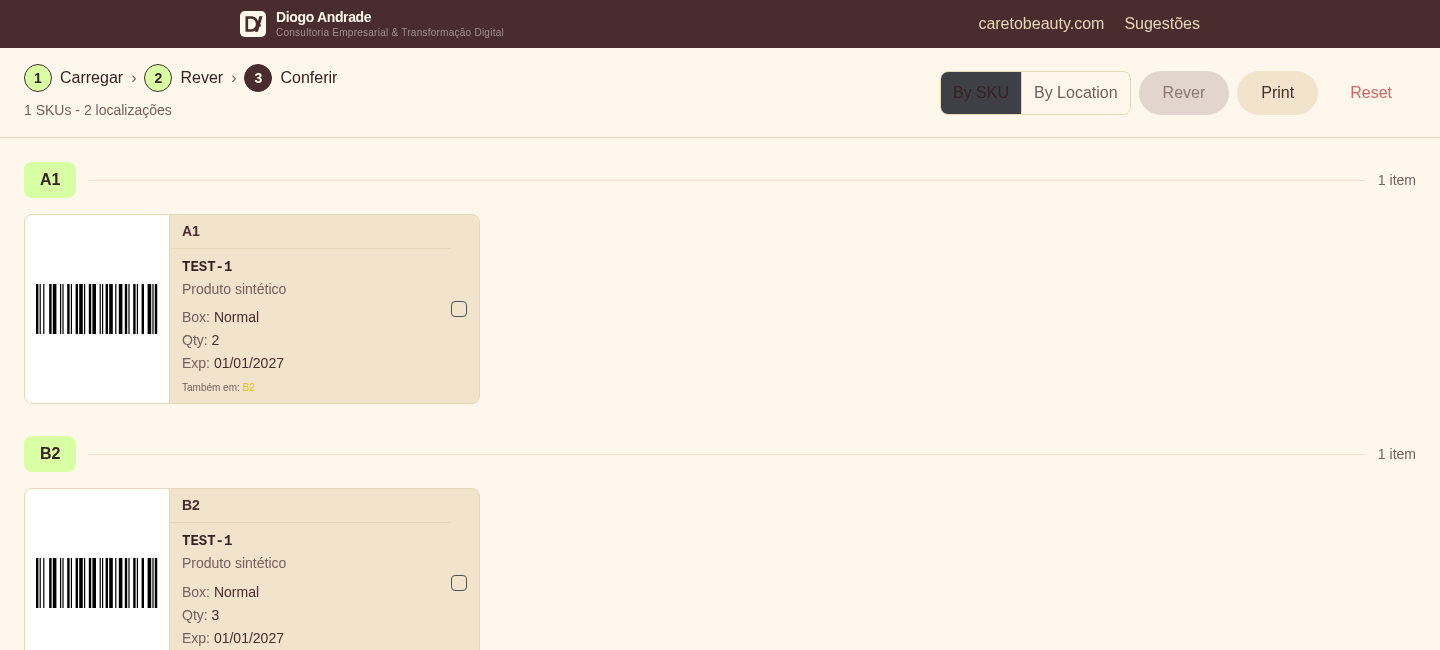
I built a three-step workflow: upload the file, review the data and check the stock. The tool grouped products by SKU and expiry date, with product and location views, barcodes and a printable checking sheet.
The original workflow
Real screenshots of the original application running a synthetic test file. The products, quantities and locations shown are fictional.
From file to warehouse
Support for XLS, XLSX and Excel XML exports, with a review step before reconciliation.
Stock was read and grouped in the browser. The contents of the file were not sent to a server.
Barcodes, views by SKU or location, and a stock-checking sheet prepared for printing.
This archive preserves the project through screenshots of its main views and an explanation of the workflow. The interactive tool is no longer available on this page.
Explore other projects